Files you can't open. Files you can't delete. Problems you can't diagnose. LPFE finds every oversized path on your local and network drives — and fixes them in minutes.
| Len | Pending | Proposed Path and Filename | Original Path and Filename |
|---|---|---|---|
| 267 | C:\Cases\DOJ\2024\HSI\Evidence\Reports\Q3 | C:\Cases\Department of Justice\2024\Homeland Security... | |
| 312 | C:\Archive\DHS\ICE\2022\Q4\Operations\Summary.pdf | C:\Archive\Department of Homeland Security\Immigration... | |
| 241 | C:\Cases\DEA\2023\Investigations\Case0045_FINAL.pdf | C:\Cases\Drug Enforcement Administration\2023\Investig... | |
| 198 | C:\Cases\FBI\2024\Evidence\Photos\Scene01.jpg | C:\Cases\FBI\2024\Evidence\Photos\Scene01.jpg | |
| 188 | ✔ | C:\Cases\ATF\2024\Reports\Annual_Summary.docx | C:\Cases\ATF\2024\Reports\Annual_Summary.docx |
When a file or folder path exceeds Windows' 255-character limit, things break — silently, unpredictably, and often without any useful error message to tell you why. LPFE was built to solve exactly this.
Applications silently fail to open files with paths that exceed the Windows limit. No clear error, no indication of the cause — just a file that refuses to load, every time.
Windows Explorer and the command line both refuse to delete files whose paths are too long. They appear in your folder but can't be moved, renamed, or removed through normal means.
Path length errors produce cryptic or missing error messages. Most users spend hours troubleshooting hardware, software, and permissions before discovering the real cause is simply too many characters in a path.
Locating oversized paths manually across local and network drives is nearly impossible. Without a tool that scans and surfaces them, you're searching blindly through thousands of files and folders.
Every operation is previewed, logged, and reversible. LPFE doesn't touch your disk until you say so.
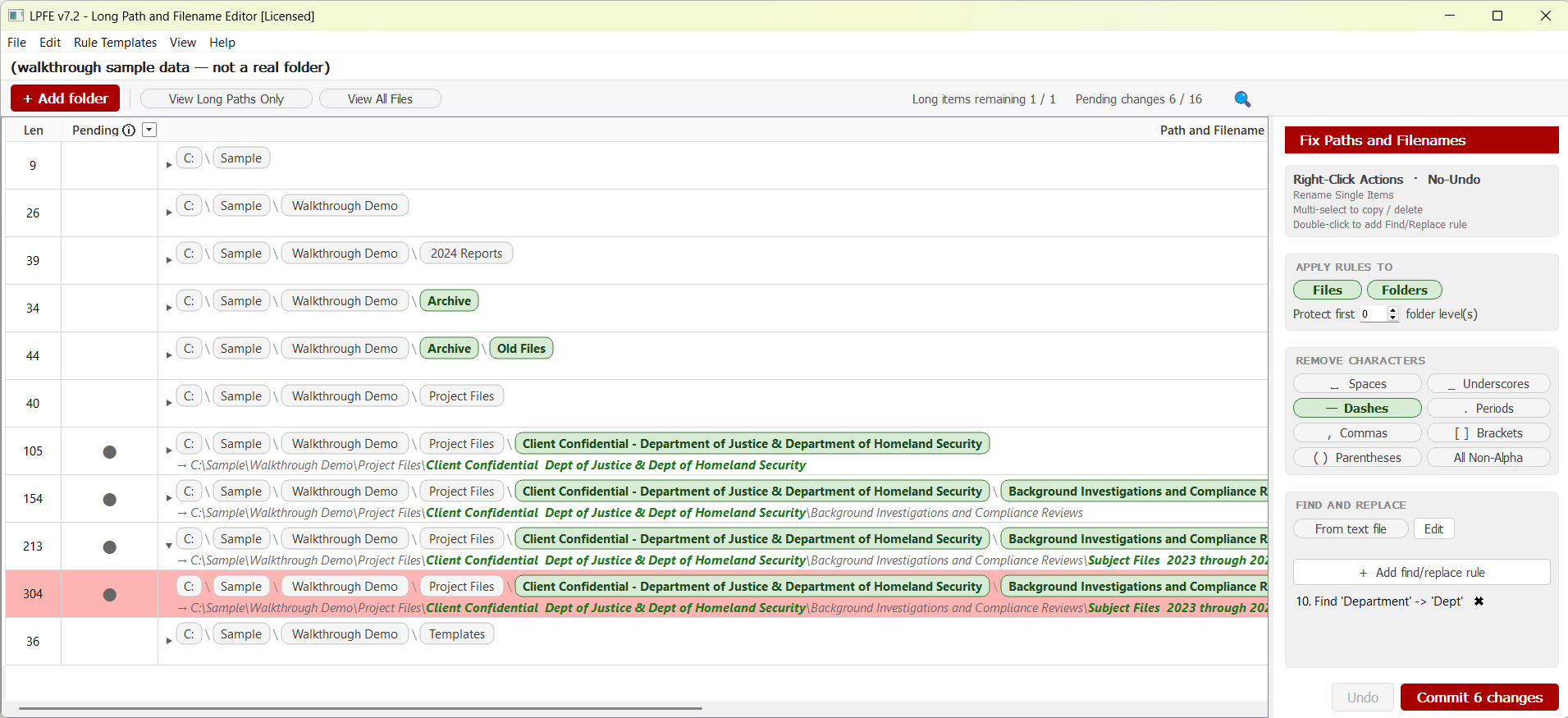
Every rule change updates the Proposed Path column instantly. See the full before/after across your entire tree before a single file is touched.
Parent folders are always renamed before their children. Guaranteed order — no orphaned paths, no broken trees, ever.
Click Undo to reverse the entire last commit batch instantly. The full rename session is reversed — not just the last item.
Load a tab-delimited text file of phrase→replacement pairs and let Rule 9 apply them across your entire folder tree automatically. "Department of Justice" becomes "DOJ" in every path, instantly.
Every commit produces a timestamped CSV: rules applied, original path, new path, errors. Open directly in Excel from the results dialog.
Package your full rule configuration into a .lpfetmpl file. Load it on any folder, any machine — consistent results every session.
The three-step workflow is color-coded directly into the interface. You always know exactly where you are.
Select any root directory. LPFE recursively walks every subfolder and file, loads the complete tree into the table, and immediately flags anything over the 255-character limit — including paths on mapped network drives.
Toggle character removal rules, enable Find / Replace from a text file, or add custom Find/Replace pairs. The Proposed Path column updates live as you adjust each setting.
Review the rename count, confirm, and the editor executes — shallowest-first, automatically. A full CSV log is written on completion. Undo is always one click away.
Anyone who works with large file systems on Windows — and has ever run into a file that just won't cooperate.
Years of inconsistent naming conventions — spaces, brackets, full department names — compound into paths that break. Scan your entire server, surface every violation, and fix them in one session with a reusable template.
Shared network drives grow organically and paths get out of control. LPFE scans both local and network drives, so nothing hides — even deep in a mapped folder structure.
Deep legacy archives built up over decades. The ignore-first-N-levels setting protects your root structure while cleaning everything nested below it — without breaking the hierarchy.
Rules apply independently to files, folders, or both. Protect top directory levels with ignore-first-N. Stack rules in any combination — preview updates instantly.
* Rules 4 and 8 preserve the file extension dot (e.g. .pdf, .docx, .xlsx)
No subscriptions. No feature gates after purchase. Pay once, own it permanently.
Try LPFE on any folder. All 9 rules available — capped at 25 entries so you can evaluate before you buy.
Enter your license key in the app to unlock everything. Instant activation — no installer, no internet check after purchase.
Need volume licensing for your team? Contact us →
Find and fix every long path on your local and network drives. Free to try, $49 to unlock everything.
Free Download →